Diagnosis and repair for charging problems, batteries, modular DC jacks, screens, hinges, cooling, Windows issues, and compatible upgrades. You receive a clear quote before work begins.
Bring your device in by appointment, or ask about repair pickup and return delivery. We confirm your location, timing, availability, and any transport fee before scheduling.
Start with what the laptop is doing
One Symptom Can Have More Than One Cause.
You do not need to know which part failed. Bring the laptop and its charger by appointment, or ask us about pickup if getting here is difficult. The symptom history and appropriate testing give us a better place to start.
Not Charging or Losing Power
A laptop that will not charge can have a charger, battery, charging-port, firmware, or motherboard fault. Testing helps separate them.
Laptop problems can come from the charger, battery, charging port, display, hinges, cooling system, storage, memory, Windows, or several issues at once. NorthCore provides laptop repair in Davis, CA with diagnosis before parts are ordered. We explain what the testing supports, identify compatible options, and provide a quote for approval before repair or replacement work begins.
The symptoms, recent damage, and exact laptop model guide the first checks
Charging indicators, battery reports, physical inspection, electrical measurements, and known-good parts are used when appropriate
Compatible replacement parts and expanded work require your approval
If the repair or upgrade does not make financial sense, we tell you
Serving Davis, Woodland, Dixon, West Sacramento, and Sacramento by appointment.
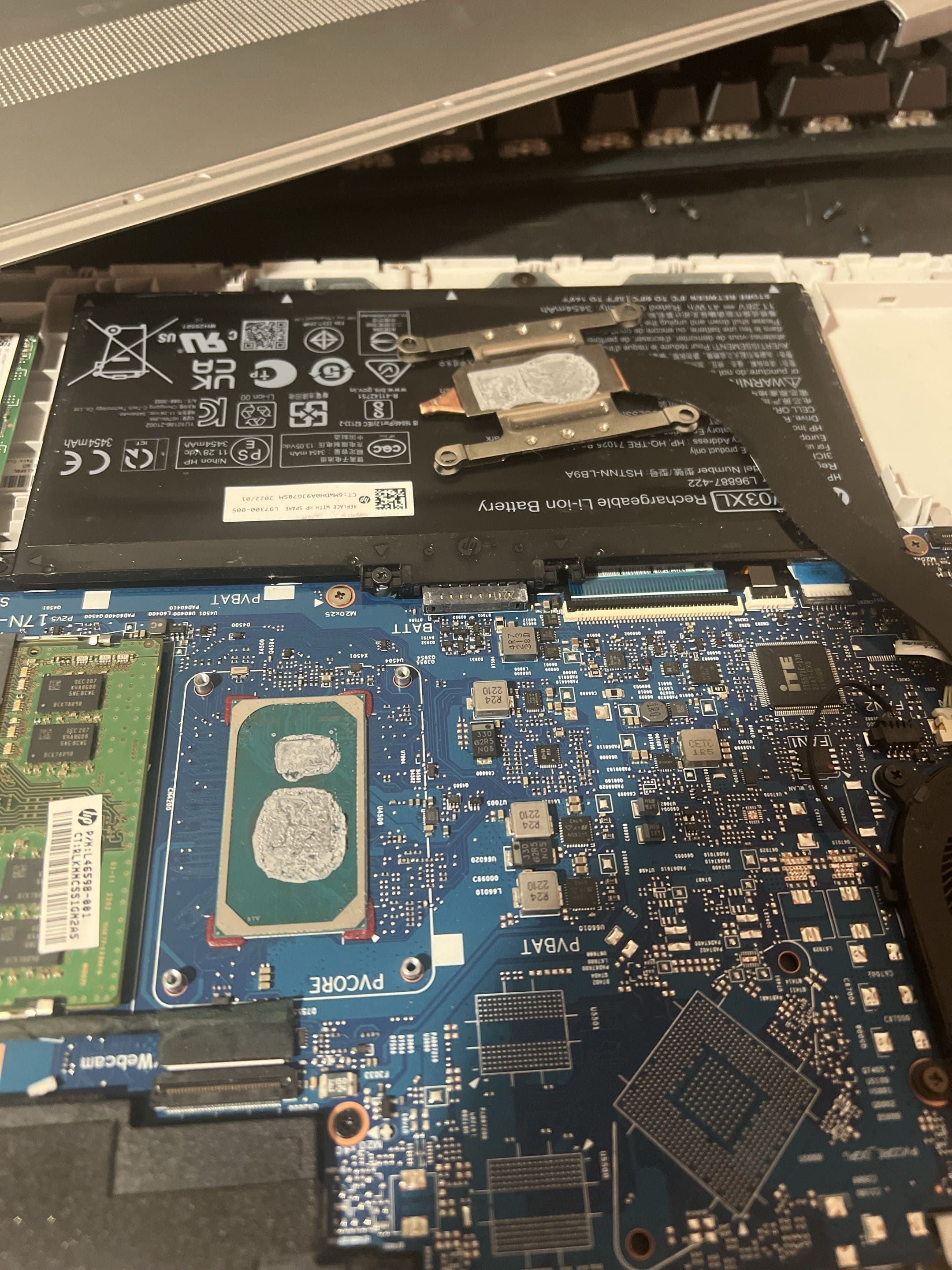
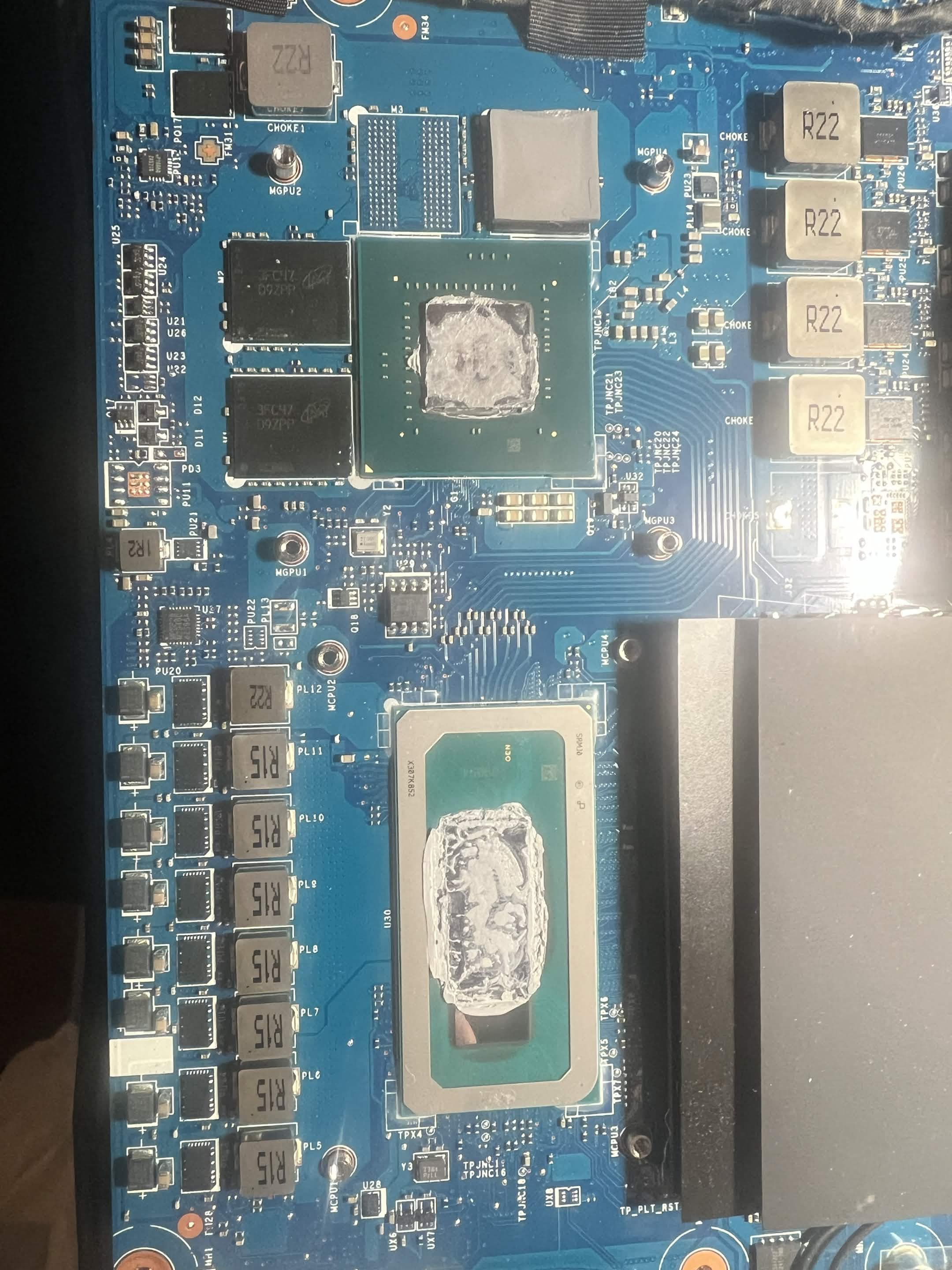
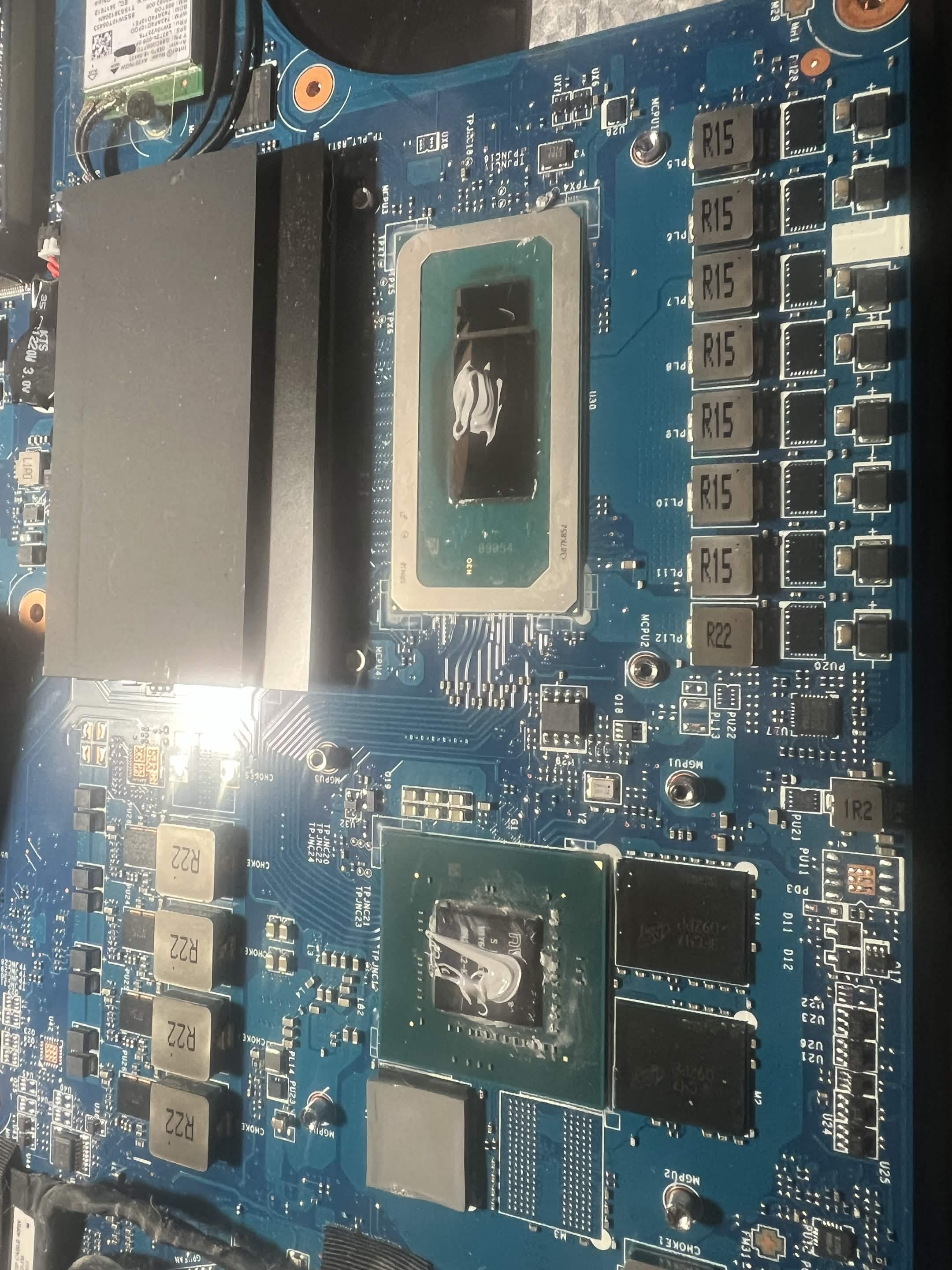
Laptop thermal service before and after cleaning.
Before service
Original thermal material before cleaning
Laptop repair services
Repairs We Diagnose and Perform.
The exact service depends on the laptop design, diagnosis, parts availability, and the work you approve. Replacement parts are ordered for the specific model rather than assumed to be interchangeable.
Charging Diagnosis
Testing to distinguish charger, battery, charging-port, firmware, and possible motherboard faults before recommending a replacement part.
Battery Replacement
Battery health assessment and compatible replacement, including safe handling and e-waste routing for swollen batteries.
Modular DC Jack Replacement
Replacement of compatible modular charging jacks. Soldered USB-C ports and board-level charging faults are diagnosis-only.
Screen Replacement
Exact panel or display-assembly identification, a quote before ordering, and installation after the approved part arrives. Screens are not kept in stock.
Hinge and Chassis Repair
Assessment and repair of serviceable hinges, mounts, covers, and chassis damage when suitable parts and a reliable repair path are available.
Liquid-Damage Diagnosis
Inspection after a spill or liquid exposure, with practical options for replaceable parts, data transfer, an RMA, or an appropriate referral.
Fan Replacement
Diagnosis and replacement of compatible failed, noisy, or damaged laptop fans, followed by an operating check.
CPU & GPU Thermal Service
Careful cleaning and thermal-paste replacement on serviceable CPU and discrete-GPU cooling assemblies.
Cooling Maintenance
Internal dust removal, heatsink and vent cleaning, fan inspection, and temperature checks before and after service.
SSD Upgrades
Compatibility review, SSD installation, and separately scoped Windows or data-migration work when requested.
RAM Upgrades
Memory type, capacity, and slot checks for laptops with replaceable RAM. Soldered memory cannot be upgraded.
Windows Repair & Data Transfers
Windows troubleshooting, clean installation when appropriate, and separately scoped transfers from accessible storage.
If the battery is swollen
Stop using and charging the laptop. Do not puncture the battery or press the case shut. Mention it when you contact us so we can plan for safe handling and replacement.
If you need a part or upgrade
Send the laptop model number if you can. Screens, batteries, fans, charging jacks, RAM, and SSD support vary by model, so we check compatibility before ordering anything.
Not sure what failed?
Tell us the model and what the laptop is doing. We will help you choose the right next step.
Describe the symptom, recent damage or changes, and when the laptop last worked normally.
02
Inspect and Diagnose
We inspect the laptop and test the likely causes instead of treating the first symptom as the answer.
03
Review the Options
You receive the findings, compatible repair or upgrade options, and a quote before approved work begins.
04
Service and Test
We complete the agreed work, check the original concern, and review the result with you at handoff.
What to bring
The laptop, its usual power adapter and detachable charging cable, plus any photos, videos, or error messages that show an intermittent problem. Back up important files first when the laptop still allows it.
Recent laptop repair experiences
Cooler, Faster, and Easier to Use Again.
These customers describe laptop maintenance, cooling repair, and practical upgrades completed through NorthCore.
Review counts updated October 1, 2026; platform ratings last verified September 28, 2026. Select a platform to view the source.
Fast RAM and SSD upgrades with clear communication
Brought my laptop to NorthCore for some maintenance and to upgrade the RAM and SSD. They got everything installed and running quickly, and my laptop feels so much faster now! They were professional, explained everything clearly, and made the whole process super easy. Definitely recommend them for any laptop upgrades or repairs!
Mr skin Playz
Google ·
Ongoing laptop maintenance and straightforward advice
Ken's been super helpful whenever I've needed maintenance or help with my laptop. He's easy to work with, knowledgeable, and doesn't make things more complicated than they need to be. After going to him for a while, I eventually ended up buying a new laptop from him too. Definitely recommend him if you need help with your computer.
Ivan L.
Yelp ·
Overheating repair with RAM and storage upgrades
Brought my laptop in because it was constantly overheating and sounding like a jet engine. Not only was the cooling issue completely fixed, but they also walked me through a few great upgrade options. We went ahead with adding more RAM and expanding the storage, and it honestly feels like a brand new machine now. Fast turnaround, honest advice, and excellent work. Highly recommend!
Tristan N.
Yelp ·
Start with the symptoms
Tell Us What Happened to Your Laptop.
Share the model, symptoms, and any recent damage or changes. We will help you identify the right next step.
Open a question for a clear answer, or explore the practical guides alongside it.
Diagnostics start at $40. More complex issues may require additional testing, but we confirm the diagnostic fee with you before proceeding. The full diagnostic fee is credited toward an approved repair. You receive a clear explanation of the reported problem, the issue identified, and whether it was resolved.
Yes. Tell us what happened and what changed afterward. We inspect the laptop, reproduce the symptoms where possible, and explain what the evidence supports before recommending parts or repair work.
We separate the likely charger, battery, charging-port, and motherboard causes before recommending a part. Depending on the laptop, testing can include charging and port indicators, a Windows battery report, physical inspection, electrical measurements with a multimeter, and a compatible known-good charger when one is available. USB-C charging can involve the charger, cable, port, firmware, or circuitry on the motherboard, so a visual check alone is not always enough.
Yes, when a compatible replacement is available. A swollen battery should not continue to be charged or pressed back into the chassis because it can damage the laptop and create a safety risk. We replace the battery after quote approval and send the removed battery to appropriate e-waste handling rather than ordinary trash.
We can replace compatible modular DC charging jacks, including cable-connected jacks used by many laptops. We do not microsolder USB-C ports or other charging components directly to a motherboard. If testing points to a board-level fault, we can document the diagnosis, discuss motherboard replacement, or help you understand manufacturer warranty and RMA options.
Yes, when a compatible panel or display assembly is available. We identify the exact part for the laptop, provide a quote, and order it after approval. NorthCore does not keep replacement screens in stock, so turnaround depends on supplier availability and shipping rather than a same-day promise.
Yes, when a compatible replacement is available. We first confirm whether the noise or overheating comes from the fan itself, an obstruction, dust buildup, or another cooling problem, then quote the appropriate work.
We assess hinges, hinge mounts, display covers, palm rests, and other chassis damage. Repair depends on how the mounts failed, whether the surrounding structure is still serviceable, and whether compatible parts are available. We explain whether repair is likely to hold before you approve parts or labor.
Yes. Liquid exposure can affect the keyboard, battery, charging system, storage, or motherboard even when the laptop initially appears to work. We inspect and diagnose the damage, then explain practical options. NorthCore does not perform component-level motherboard repair, but we can discuss replaceable parts, data-transfer options, motherboard replacement, or an appropriate referral.
Yes. We can clean and replace thermal paste on serviceable laptop CPU and discrete-GPU cooling assemblies. The service may also include dust removal, fan inspection, and checks of cooler contact and temperatures before and after the work.
Often, yes. We check the laptop's supported drive type, available slot or bay, physical fit, and migration needs before recommending an SSD. The quote identifies the drive, installation, and any agreed data or Windows work separately.
That depends on the model. Some laptops use replaceable memory modules, while others have memory soldered to the motherboard. We verify the supported type, capacity, and available slots before recommending an upgrade.
No. Overheating can also come from a failed fan, blocked heatsink, damaged heat pipe, poor cooler contact, firmware behavior, or a heavy workload. We inspect the cooling system so the work addresses the likely cause instead of assuming fresh paste is the complete repair.
Turnaround depends on the diagnosis, disassembly, testing, and replacement-part availability. Work that does not require an ordered part can often be completed the same day, depending on workload and complexity. If a battery, screen, fan, charging jack, hinge, or chassis part is needed, timing primarily depends on supplier availability and shipping. We provide a realistic estimate after reviewing the laptop.
If you are bringing the laptop in, include its power adapter. Photos or videos of intermittent symptoms, exact error messages, and notes about recent drops, spills, upgrades, or repairs are also useful. Back up important files beforehand when the laptop still allows it. If travel is difficult, ask about repair pickup and return delivery when booking.
Yes, repair pickup and return delivery can be arranged when available. You can also bring your device in by appointment. Tell us your location and preferred timing when you contact us, and we will confirm coverage, availability, and any transport fee before scheduling. This can help students without transportation, families, or anyone who cannot easily make the trip.