Quick Answer
Where can I get my laptop cleaned in Davis, CA?
A local laptop repair service can inspect the vents, fans, heatsink, and internal dust buildup. Cleaning is most useful when airflow is restricted, but heat or noise can also come from a failing fan, background workload, battery problem, or poor heatsink contact. Ask for diagnosis before authorizing thermal paste or replacement parts.
Request laptop cleaning or diagnosis in DavisA UC Davis Reddit user asked a simple question that can be surprisingly hard to answer: where in Davis can someone get a laptop cleaned when nearby shops do not clearly advertise the service? Laptop cleaning is often listed under maintenance, overheating repair, or laptop diagnostics rather than as its own menu item.
NorthCore provides laptop maintenance in Davis, including internal inspection and cleaning when the laptop design allows safe access. The first step is still to understand the symptom. A dusty cooling system and a defective cooling system can both create heat and fan noise, but they do not require the same repair.
What a Laptop Cleaning Service Can Include
- Inspecting intake and exhaust vents for blocked airflow.
- Opening the laptop with the correct service procedure and disconnecting power safely.
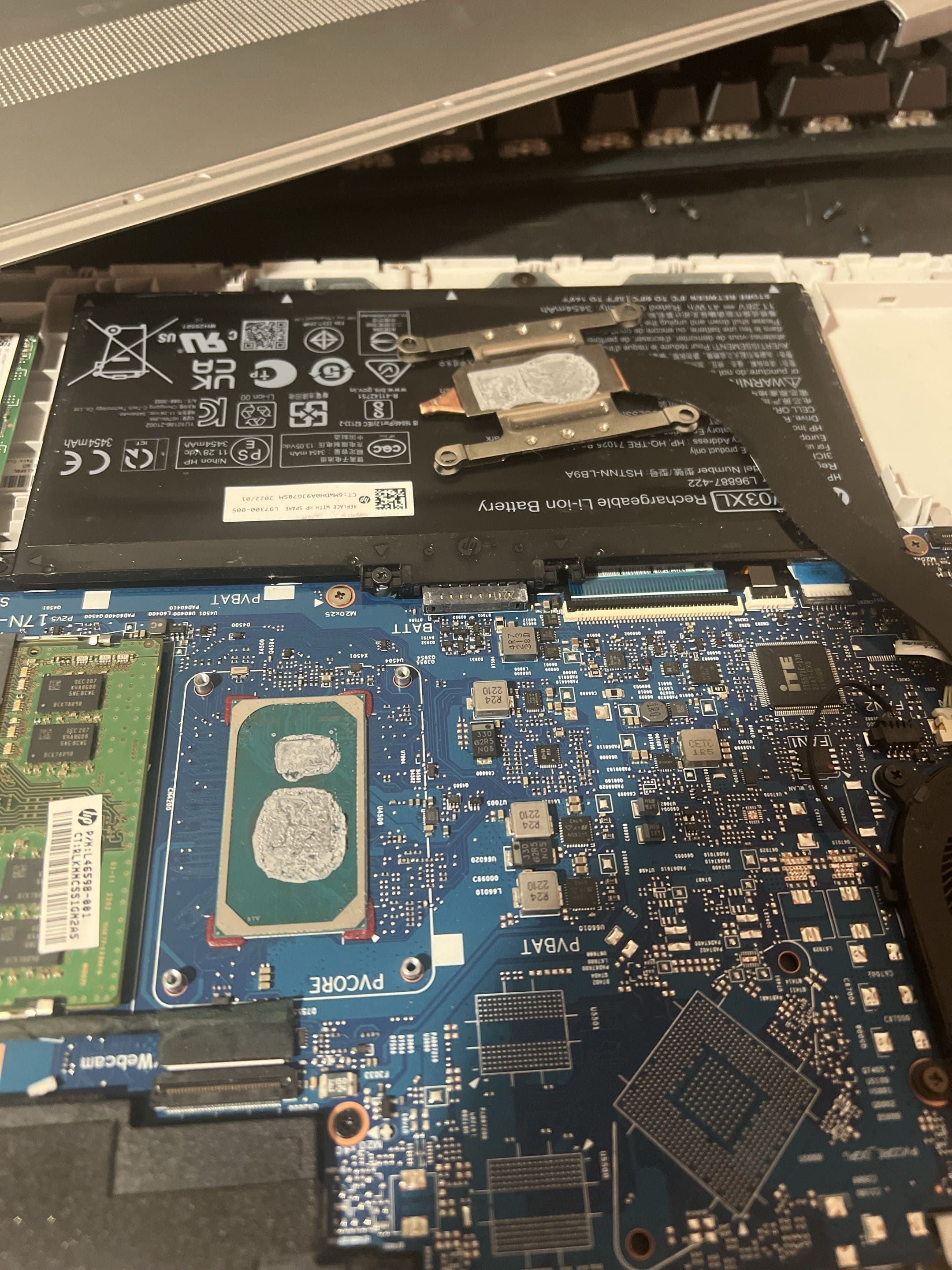
- Removing dust from fans, heatsink fins, and accessible internal surfaces.
- Checking whether each fan spins normally and whether the heatsink is secure.
- Reviewing temperatures and fan behavior before and after service when the symptom calls for it.
- Discussing thermal compound service separately when its condition or the laptop design makes that work appropriate.
Do not blow high-pressure air through a laptop while allowing the fan to spin freely. It can overspeed the fan or push debris deeper into the cooling assembly. Battery swelling, liquid residue, burning odor, or a grinding fan should be treated as a repair issue, not routine cleaning.
Signs Your Laptop May Need Cooling Maintenance
| Symptom | Possible explanation | Useful next step |
|---|---|---|
| Fan stays loud during light use | Dust, background activity, fan wear, or a cooling-control issue | Check Task Manager and temperatures, then inspect airflow |
| Laptop becomes hot and slows down | Thermal throttling or sustained software load | Compare temperature, workload, and fan behavior |
| Airflow feels weak at the exhaust | Blocked fins, slow fan, or an obstructed intake | Inspect the full cooling path |
| Fan clicks, grinds, or stops | Mechanical fan failure | Stop treating it as a cleaning-only job and test the fan |
| Laptop shuts down under load | Overheating is possible, but power and board faults can look similar | Back up important files and arrange diagnosis |
The Reddit Question: Who Cleans Laptops in Davis?
The Reddit post reflects a real search problem: people know their laptop may need maintenance, but service pages often emphasize broken screens and major repairs. The useful answer is to look for a shop that works on laptops internally and can explain whether the requested cleaning matches the actual symptom.
Ask what will be opened, what parts of the cooling system will be inspected, whether temperatures will be checked, and whether any thermal-material work requires separate approval. The original UC Davis question is linked in the sources below.
When You Need Diagnosis Instead of Cleaning Alone
Cleaning cannot repair a worn fan bearing, a swollen battery, a damaged charging circuit, corrupted software, or a heatsink that no longer contacts the processor correctly. It also cannot guarantee that an older laptop will become fast. If the complaint is slowness rather than heat, storage health, memory use, startup software, malware, and Windows condition should be considered too.
ASUS likewise treats dust as one possible cause within a broader overheating and fan troubleshooting process. That is the right mindset for any brand: verify the temperature and workload, inspect the cooling path, and recommend only the work supported by the findings.
How NorthCore Handles Laptop Cleaning in Davis
NorthCore begins with the laptop model and the symptoms you have noticed. After checking the condition and serviceability of the computer, we explain whether routine internal cleaning is appropriate or whether the laptop needs a diagnostic path. Any additional repair or part replacement is discussed before it is added to the scope.
Bring the laptop, its normal charger, and a short description of when the heat, noise, slowdown, or shutdown occurs. If the computer still operates, back up irreplaceable files before any service. A clear symptom history makes it easier to compare the laptop before and after maintenance.
For internal cleaning, overheating diagnosis, and laptop maintenance in Davis, explore laptop repair.