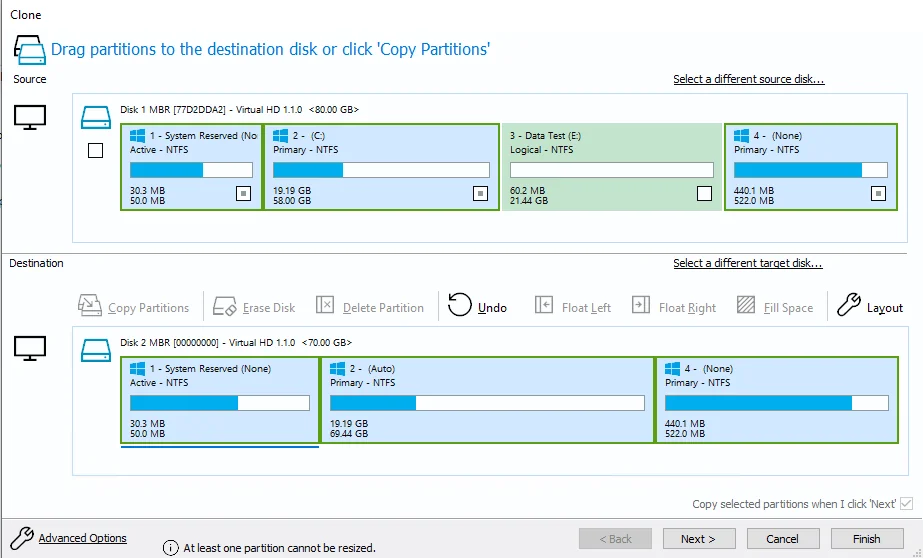
Disk cloning software showing source and destination drive partitions

Assess first. Protect the source.

Drive Cloning & File Transfers
in Davis, CA

Drive assessment, readable-drive cloning, storage replacement planning, and accessible-file transfers with a clearly defined scope.

Start with what happened

Different Storage Needs Require
Different First Steps.

The goal is to understand the source before deciding whether the right next step is a drive assessment, a clone, a straightforward file transfer, or a specialist referral.

A Drive Is Becoming Unstable

Slow reads, disconnects, warning messages, or a computer that struggles whenever it accesses the drive can point to storage trouble.

  • Intermittent detection
  • Read errors and damaged sectors
  • A computer that no longer boots
  • Files that copy slowly or fail partway through
A Drive Needs to Be Cloned

A drive-to-drive clone can move the readable contents of existing storage to a compatible replacement without manually rebuilding every folder.

  • Hard drive to SSD upgrades
  • Readable aging storage
  • Replacement drives with enough capacity
  • Clone planning and compatibility checks

Files Need to Move Safely

A planned transfer can protect important files when replacing a drive, retiring a computer, or moving to a new system.

  • Old drive to new drive
  • Computer-to-computer transfers
  • User folders and document libraries
  • Transfer to customer-provided storage
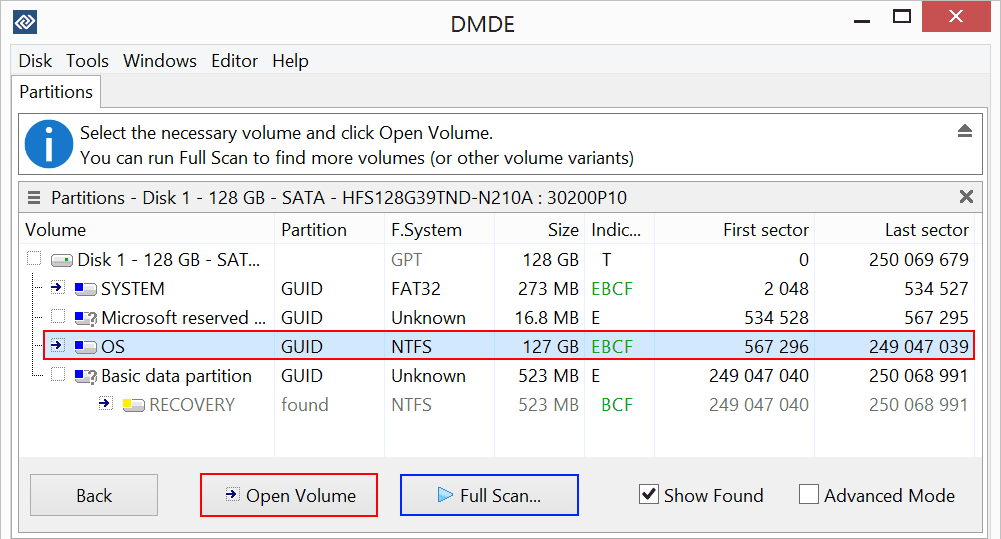
DMDE data recovery software showing disk partitions and scan options

Storage assessment

Inspect the device before attempting repairs or repeated reads

Assessment Before Cloning

Protect the Source Before
Working on the Files.

Storage work starts by understanding the source and avoiding unnecessary stress on an unstable device. We focus on diagnosing readable and partially readable drives, creating a clone when the source and destination are suitable, and transferring accessible files to healthy storage. Deleted-file recovery, damaged file systems, physical failures, firmware work, clean-room work, and chip-level recovery are outside our local service scope.

Avoid repair utilities, formatting, or repeated restart attempts when important data is at risk

Use the original device only as much as the assessment and cloning process require

Work from the clone rather than the original whenever a safe clone can be created

Explain when the symptoms call for a specialist recovery laboratory

A careful storage process

From the First Assessment
to a Verified File Transfer.

The right approach depends on the condition of the source, the destination storage, and whether you need a complete clone or selected accessible files.

  1. Tell Us What Happened

    Share the device, symptoms, when the problem began, and which files matter most. Stop using the source when data is at risk.

  2. Assess the Storage

    We check whether the device is detected, how it behaves during reads, and whether cloning or a standard file transfer is appropriate.

  3. Clone or Transfer

    When the source and destination are suitable, we complete the agreed drive clone or copy the selected accessible files.

  4. Verify the Handoff

    The destination is checked against the agreed scope, and any limitations found during the work are explained before handoff.

What to bring

The affected computer or storage device, its required power adapter or cable, a list of the most important files, and healthy destination storage if you already have it. Do not keep testing the source before the appointment.

Practical local storage work

Focused on Cloning,
Diagnosis, and File Transfer.

The exact scope depends on what the device can still do. Findings and pricing are explained before extended work begins.

Drive Assessment

Diagnosis focused on detection, read behavior, file-system condition, reported symptoms, and the safest practical next step.

Sector-Level Cloning

Creating a separate clone or image from readable media before attempting file-system work whenever the condition allows it.

Drive-to-Drive Migration

Moving the readable contents of an existing drive to compatible replacement storage when a complete clone is appropriate.

File Transfers

Moving accessible documents, photos, project folders, and other agreed data to healthy customer-approved storage.

Hard Drives and SSDs

Assessment of internal and external hard drives, SATA SSDs, NVMe storage, and drives removed from non-booting computers.

USB Storage

File transfers from readable external drives, USB drives, and memory cards to healthy destination storage.

A good local fit

Readable or partially readable storage

NorthCore focuses on diagnosis, careful cloning, and file transfer when the device can still communicate, mount, or be read without opening it.

When to stop

Physical or firmware failure

Clicking, grinding, burning smells, liquid damage, severe impact, or media that remains undetected may require a specialist lab. We do not open sealed drives or perform clean-room, donor-part, or chip-level recovery.

Privacy and handoff

Only the agreed data is handled

We use the recovered data only to complete the requested transfer and verification. Destination storage, retention, pricing, and the handoff plan are confirmed before work proceeds.

Start with the storage symptoms

Tell Us What the Drive
Needs to Do Next.

Share the device type, whether it is still detected, and whether you need a replacement-drive clone or selected files moved. We will explain whether the work fits our local service scope.

Request a Drive Assessment

FAQ & Guides

Drive Cloning & File Transfer Questions & Resources

Open a question for a clear answer, or explore the practical guides alongside it.