Quick Answer
Can a motherboard be recovered if a failed BIOS update leaves the PC unable to POST?
Sometimes. An incomplete firmware update can prevent a motherboard from initializing even when the other components still work. If the exact board supports a recovery feature, a correctly prepared USB drive and the correct model- and revision-specific BIOS file may restore it. The procedure is not universal: using the wrong firmware or interrupting recovery can make the failure harder to recover.
Request no-POST computer diagnosis in DavisA client brought NorthCore a gaming PC that powered on but no longer produced a BIOS screen, display signal, or successful startup. The failure began during a motherboard firmware update. The update process shut down unexpectedly, and the computer would not complete POST afterward.
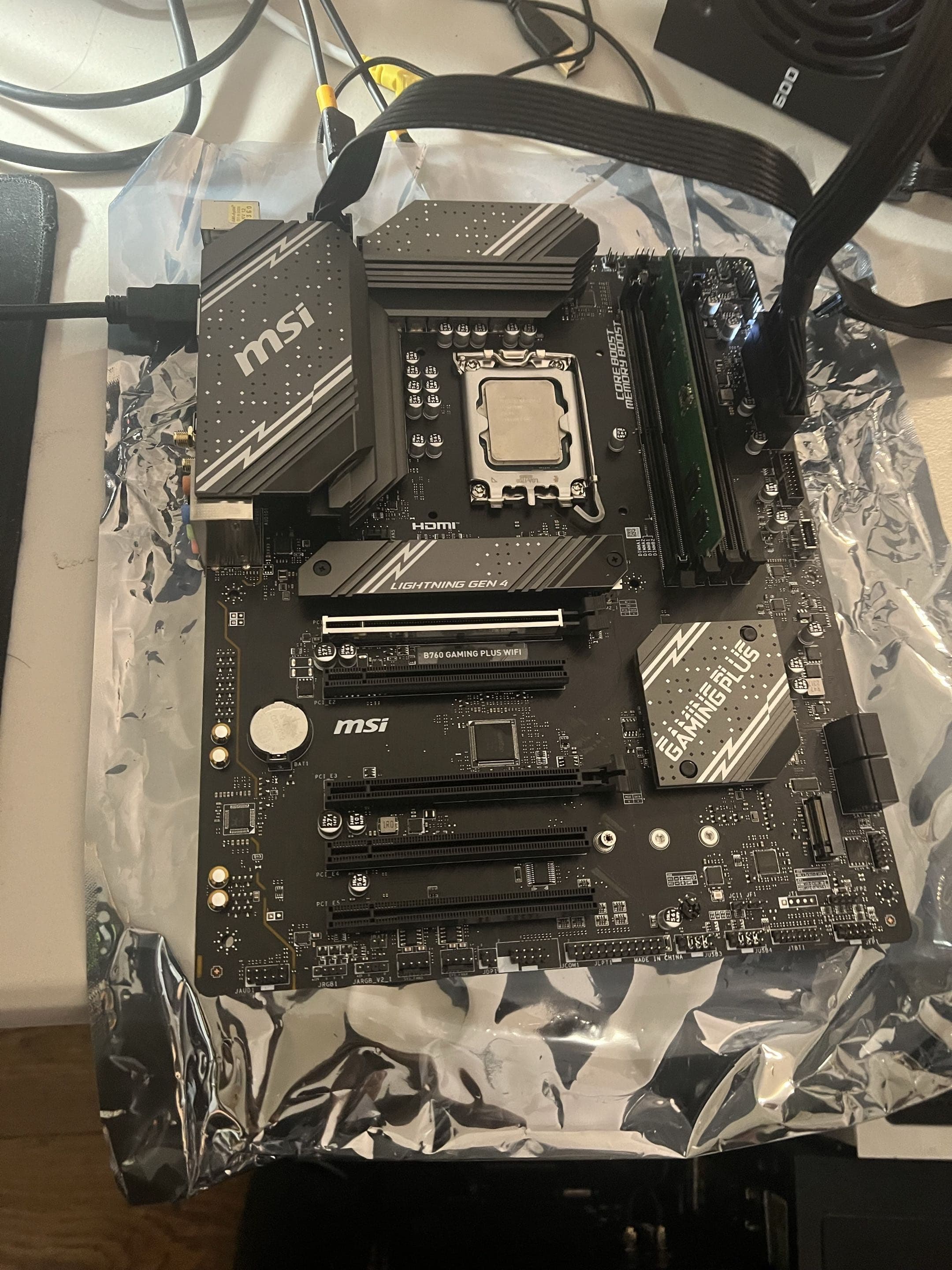
The motherboard was a Gigabyte X570 AORUS Elite. The rest of the hardware worked during controlled isolation, but the no-POST condition remained with the board. Instead of treating it as a permanently dead motherboard, I checked its supported recovery path, prepared the correct firmware on a FAT32 USB drive, and used Q-Flash Plus to rewrite the BIOS. The PC returned to POST, and I then restored and tested the settings the client needed for normal performance and competitive games.
No POST and a Black Screen Are Not the Same Diagnosis
A black monitor only describes what the user can see. The computer may be completing POST and sending video through a different output, or it may be stopping before the motherboard finishes initializing the processor, memory, graphics hardware, and firmware. That distinction determines whether the next step belongs at the monitor, graphics card, Windows installation, or motherboard.
| Symptom | What it means | Useful evidence |
|---|---|---|
| No power | The system gives no meaningful electrical response | Outlet, power cable, power-supply switch, standby indicators, and motherboard power connections |
| No POST | The motherboard does not complete its initial hardware and firmware checks | Debug indicators, beep codes, USB or keyboard response, firmware history, and minimum-configuration testing |
| No video | The PC may start but the display path produces no visible image | Monitor input, cable, graphics output, GPU power, and whether Windows or startup sounds occur |
| No Windows boot | POST completes, but the operating system does not load | Visible BIOS access, boot-device detection, recovery screen, storage health, and Windows errors |
This X570 system received power, but it did not reach the firmware screen or progress into Windows. The board did not provide a useful debug-light code that identified a failed removable component. Because the problem began during a firmware update, the update history belonged in the diagnosis, but timing alone was not enough to skip hardware isolation.
Why a Failed BIOS Update Can Stop a PC Before POST
The BIOS or UEFI firmware starts before Windows. It initializes the platform, trains memory, identifies hardware, applies stored configuration, and begins the boot process. If the firmware image or update state is incomplete, the motherboard may be unable to reach the setup screen or produce a normal diagnostic sequence.
Clearing CMOS and rewriting the BIOS solve different problems. Clearing CMOS returns stored settings toward their defaults; it does not necessarily replace damaged or incomplete firmware code. Likewise, reseating the graphics card cannot repair a firmware image, although graphics and display checks still matter before concluding that firmware is responsible.
Do not cut power merely because a firmware update appears slow or the screen goes temporarily black. Follow the exact motherboard instructions and wait for the documented completion signal. An interrupted write can leave the computer unable to start.
A Common Reddit Question: Is an X570 AORUS Elite Permanently Bricked?
A Reddit user described an X570 AORUS Elite that would no longer POST after an update through Gigabyte's BIOS utility. Fans and lights worked, but there was no display. The user prepared a FAT32 drive, downloaded firmware for the board revision, renamed the file for Q-Flash Plus, and still did not know whether the BIOS, motherboard, or another component was responsible.
The useful answer is not that every black screen after an update needs another flash. The exact motherboard revision, firmware file, recovery method, indicator behavior, hardware configuration, and tests of competing causes all matter. The Reddit case is linked in the sources below because it shows how similar symptoms can still require different outcomes. NorthCore's client system had a recoverable firmware path, but that result had to be demonstrated rather than assumed.
What Happened to This X570 AORUS Elite
The client reported that a motherboard firmware update had been initiated from within Windows. The computer shut down during the process and did not return to a working firmware screen. On later attempts, the desktop powered its fans and lighting but produced a black screen and never completed POST.
The absence of a useful motherboard error light did not prove that the board was healthy or physically dead. It meant there was no component-specific code to shortcut the diagnostic process. I checked the startup path and isolated the removable hardware rather than replacing the motherboard solely because it was the last device in the chain.
Testing Isolated the Failure to the Motherboard Firmware
The processor, memory, graphics card, storage, and power components did not reproduce an independent failure during controlled testing. Connections and the display path were also checked. The consistent no-POST state remained associated with the X570 AORUS Elite, and the failure timeline pointed specifically toward its incomplete firmware update.
| Finding | What it supported | What it did not prove alone |
|---|---|---|
| The failure began during a BIOS update | Firmware was a high-priority suspect | That every black screen was caused by firmware |
| The system powered fans and lighting | Some power reached the hardware | That the motherboard completed POST |
| No useful debug-light code appeared | There was no component-specific shortcut | That the CPU, RAM, or motherboard was automatically good |
| Other components worked in controlled testing | Those parts became less likely causes | That the firmware could definitely be recovered |
| Q-Flash Plus restored POST | The board's firmware state caused the no-POST condition | That the same procedure applies to a different motherboard |
Preparing the Correct FAT32 BIOS Recovery Drive
The X570 AORUS Elite supports Gigabyte Q-Flash Plus, which can write supported firmware without relying on a working BIOS setup screen. I verified the exact board model and revision, obtained the current compatible BIOS from Gigabyte's official support page, and prepared the recovery file on a FAT32 USB drive according to the board's procedure.
The model and revision checks were essential. Similar-looking AORUS boards and Wi-Fi variants can use different firmware. A file being newer does not make it correct for a different board, and copying several firmware files to the drive makes troubleshooting less controlled.
- Confirm the complete motherboard name and printed hardware revision before downloading firmware.
- Use the manufacturer's support page for that exact board rather than a third-party firmware archive.
- Prepare the USB file system, filename, and designated Q-Flash Plus port exactly as the board documentation requires.
- Keep the system on stable power and do not interrupt the recovery indicator while it is active.
- Treat BitLocker or device-encryption recovery information as part of the plan before changing firmware and Secure Boot settings.
Q-Flash Plus Restored the Motherboard
With the correctly prepared FAT32 USB drive in the designated port, I started the X570 AORUS Elite's Q-Flash Plus process and allowed its indicator sequence to finish without interruption. The purpose was to replace the incomplete firmware state with a compatible image using the recovery feature built into the motherboard.
After the recovery completed, the PC reached the firmware screen again. That was the first decisive before-and-after result: the same motherboard that could not complete POST returned to BIOS access after its supported recovery process. The outcome avoided replacing a board whose underlying hardware was still serviceable.
Q-Flash Plus is not a universal button sequence. USB requirements, filenames, ports, indicator behavior, supported configurations, and completion states can differ by model. Use the manual for the exact motherboard rather than copying another board's procedure.
A Successful Flash Was Only the Beginning
Firmware recovery can return settings to defaults. A PC that reaches BIOS is not finished until its hardware is detected, its existing Windows installation has the correct boot path, and any restored settings are verified. I reviewed the configuration one area at a time instead of enabling a group of performance and security options blindly.
- Confirmed the recovered BIOS version and that the processor, memory, graphics card, and storage were detected.
- Restored the correct UEFI boot path for the existing Windows installation.
- Enabled Secure Boot and confirmed its state from Windows.
- Enabled AMD firmware TPM and confirmed TPM 2.0 readiness.
- Restored the memory profile used by the client's compatible RAM configuration.
- Reviewed the remaining relevant performance and device settings instead of assuming the defaults matched the previous setup.
On this platform, the memory profile exposed by the firmware was restored for the client's RAM rather than treated as a guaranteed setting for every kit. After enabling it, I ran a Windows-based memory diagnostic and repeated startup testing. A completed check without a reported error was useful evidence for this repaired configuration, although no single test can rule out every intermittent stability problem.
Secure Boot and TPM 2.0 Put Valorant and Warzone Back in Play
The client also needed the recovered system for competitive games. Firmware defaults and recovery can change the platform state those games inspect. After restoring UEFI boot, Secure Boot, and AMD firmware TPM, I verified their status in Windows instead of relying only on how the options appeared inside the BIOS.
Valorant and Warzone launched successfully after the recovery and configuration work. That confirmed the repair at the level the client cared about: the PC not only reached Windows again, but also satisfied the security checks required by the affected games on this system. TPM and Secure Boot are related to those checks, but they are not a promise that every anti-cheat error on every computer has the same solution.
The Complete Repair and Verification Took Two to Three Hours
This was more than copying a file to a USB drive. The two-to-three-hour service included isolating the no-POST condition, identifying the board's recovery capability, preparing and completing the firmware recovery, restoring configuration, and repeating tests after the machine returned to Windows.
- Confirmed repeated POST, restart, shutdown, and cold-start behavior.
- Verified the installed BIOS and detected hardware.
- Checked the Windows boot path and normal device operation.
- Ran a Windows-based memory diagnostic after restoring the memory profile.
- Confirmed Secure Boot and TPM 2.0 from Windows.
- Launched Valorant and Warzone to verify the original gaming requirement was satisfied.
The intensive work was worthwhile because it saved a usable X570 motherboard, preserved the client's existing build, and returned the system with evidence that both startup and the requested games worked again.
What This BIOS Recovery Case Shows
- A PC can power fans and lighting while still failing before POST.
- A black screen after a BIOS update does not automatically mean the graphics card failed.
- Clearing CMOS does not perform the same job as rewriting incomplete firmware.
- A motherboard described as bricked may still have a supported recovery path.
- The exact board model, hardware revision, firmware file, and recovery instructions matter.
- Restoring POST is not the end of the repair; boot, security, memory, and workload verification still follow.
- The repair is complete when the original use case works again, not merely when the BIOS screen appears.
When to Stop Attempting BIOS Recovery at Home
Stop and arrange professional diagnosis if you cannot confirm the exact motherboard revision, the recovery indicator behaves differently from the manual, the system loses power during recovery, there is evidence of electrical or liquid damage, or important encrypted data may become inaccessible. Repeated flashes with different files can erase useful evidence and introduce another variable without proving the original cause.
When requesting service, provide the complete motherboard model and revision, the previous and attempted BIOS versions if known, how the update was started, what happened before the black screen, every recovery attempt already made, and the BitLocker recovery key if Windows device encryption is enabled. Do not send the recovery key through an ordinary contact form.
If a desktop powers on but cannot complete POST after a firmware change, NorthCore offers local computer repair.