Quick Answer
How should a $300–$500 custom PC budget be divided?
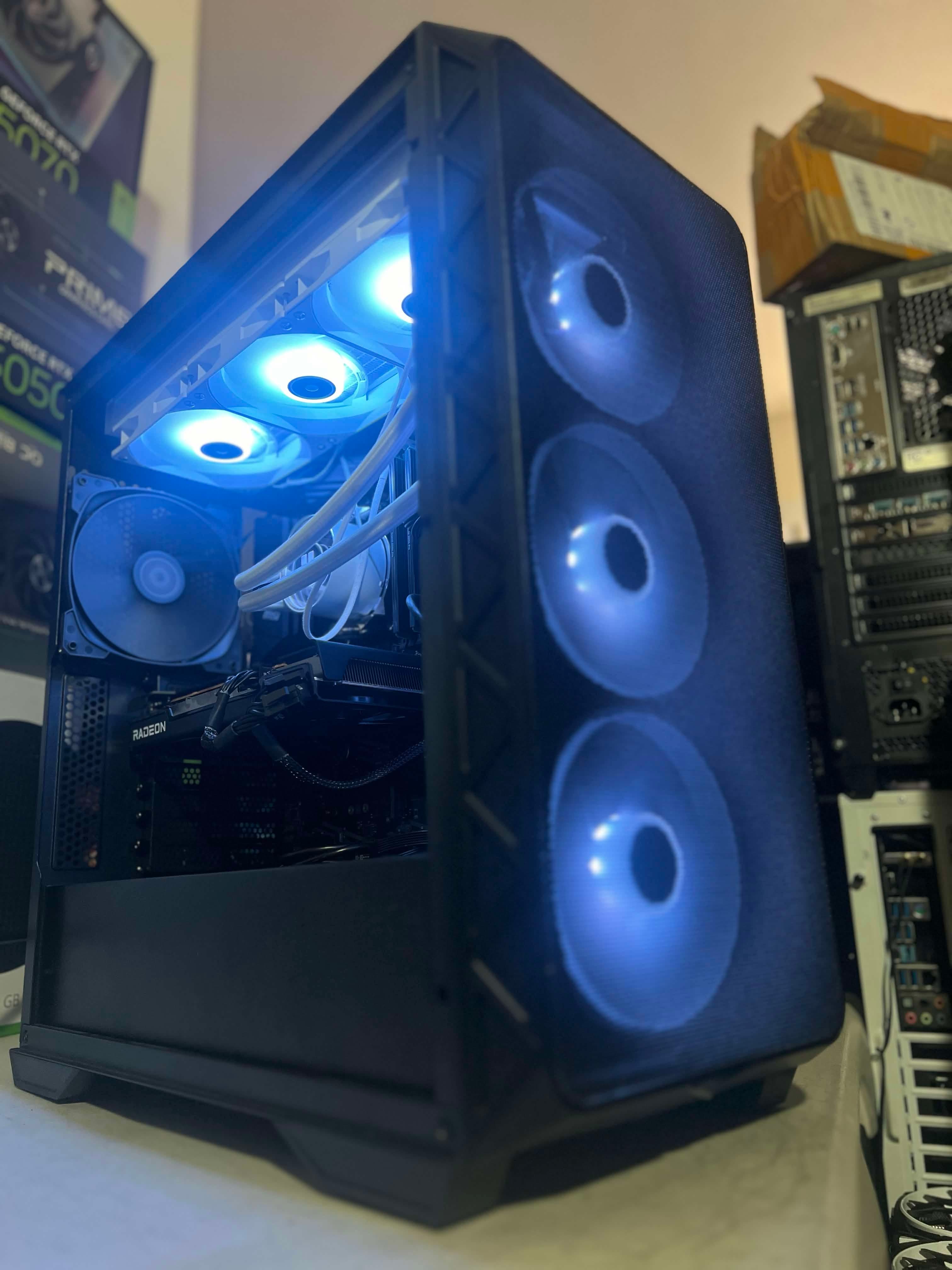
Start with the customer's actual workload. NorthCore used an AM4 Ryzen 5 G-series APU with integrated Radeon graphics for one school and office build so more of the budget could go to memory and SSD storage. A gaming customer received a Ryzen 5 2600 and Radeon RX 580, with less SSD capacity accepted to prioritize 1080p Fortnite performance.
Plan a custom PC build in DavisA dollar amount does not choose a good computer by itself. NorthCore built two customer PCs in roughly the $300–$500 range, but one was for school and office work while the other was meant for budget 1080p gaming. The useful parts lists looked different because the customers valued different outcomes.
These are historical customer examples, not current fixed-price packages. Component prices, availability, condition, included software, and whether parts are new, used, reused, or customer-supplied can change what the same budget buys today.
The Two Builds at a Glance
| Customer goal | Core hardware choice | Where the budget went | Tradeoff |
|---|---|---|---|
| School and office work | AM4 Ryzen 5 G-series APU with integrated Radeon graphics | More memory and SSD storage | No separate graphics card |
| Budget 1080p Fortnite gaming | Ryzen 5 2600 and Radeon RX 580 | Dedicated gaming graphics | Smaller SSD capacity |
School and Office Build: Skip the GPU, Improve Everyday Use
The school and office customer needed a responsive computer for documents, browsing, research, and everyday applications rather than a dedicated gaming system. NorthCore chose an AM4 Ryzen 5 G-series processor with integrated Radeon graphics. That covered the required display output and ordinary visual workload without purchasing a separate graphics card.
Removing the discrete GPU from the parts list left more of the limited budget for memory and SSD storage. Those choices mattered more for the customer's actual work: enough RAM to keep normal applications open together and solid-state storage for quick startup, application loading, and document access.
An integrated-graphics build still needs a compatible motherboard display output and an appropriate memory configuration. NorthCore checks the complete platform rather than choosing a processor from its name alone.
Gaming Build: Prioritize the GPU and Accept Less Storage
The gaming customer's priority was clear: play Fortnite at 1080p within the same approximate $300–$500 budget. This build paired a Ryzen 5 2600 with a Radeon RX 580. Putting money into a dedicated graphics card was more important for that goal than maximizing storage capacity.
The build reached roughly 144 frames per second in the customer's desired Fortnite setup at 1080p. That is an observed result from this system, not a guarantee for every RX 580 build. Fortnite updates, graphics settings, memory configuration, drivers, cooling, background software, and the exact RX 580 can all change performance.
To protect the gaming target, the customer accepted a smaller SSD. That reduced how many large games could be installed at once, but it preserved solid-state responsiveness for Windows and the primary game while keeping enough budget for the GPU.
What These Two Budgets Show
- The same dollar range should not produce the same parts list for every customer.
- Integrated graphics can be a deliberate budget choice when office and school applications are the priority.
- A gaming target should name the game, resolution, and desired experience before money is assigned to parts.
- Storage capacity is negotiable when it does not prevent the primary workload, but the tradeoff should be explained before purchase.
- A measured result from one build is evidence for that configuration, not a universal performance promise.
Set a Budget for the Whole Setup
Decide whether your budget covers just the tower or also a monitor, keyboard, mouse, and software. Include assembly, any Windows license, and requested file migration. If you already own usable components, list them separately. A complete quote makes it easier to compare options without discovering missing costs later.
Name Your Games and Your Monitor
Tell us which games matter, the resolution you plan to use, your monitor refresh rate, and whether low, competitive, medium, or high visual settings are acceptable. A request for 1080p Fortnite is more useful than simply asking for a gaming PC. Performance estimates should identify the hardware, game version, settings, and evidence behind them.
For School and Office Work, Name the Applications
List the browser workload, meetings, documents, spreadsheets, specialized school software, connected displays, and storage requirements. Integrated graphics may preserve budget for memory and storage when those applications do not need a dedicated GPU. If a course later requires CAD, video work, or another accelerated application, that future need belongs in the plan now.
Compare the Quote, Setup, and Support
- Exact components and whether any are reused or customer-supplied.
- Assembly, cable management, and testing scope.
- Windows setup and any separate license cost.
- File migration, applications, and peripherals to configure.
- Expected timing and what depends on parts availability.
- Workmanship coverage and separate component warranty arrangements.
Get Help Before You Commit
NorthCore offers custom builds, assembly with your parts, PC consulting, and trade-in assessments in Davis. Send your current specifications or proposed parts list with your goals. We can discuss a complete build, a targeted upgrade, or a trade-in assessment; any trade-in value and terms are confirmed after review.
Your first message can be simple: your total budget, main games or applications, monitor, storage needs, and any parts you already own. Those facts did more to shape these two successful builds than a generic budget tier.
Ready to put your parts list together? Explore NorthCore services in Davis, CA for custom pc builds.